Hourport
Keep a clearer record of your workday.Offline events. One reliable time record.
A private time-tracking app with a native iPhone companion, automatic workplace clocking, and a clear timesheet.A phone and widget can record the same work while offline. Hourport preserves event identity, orders conflicting changes, and keeps reporting separate from external timesheet transfers.
RuntimeSwift app and widgets share an App Group queue. A TypeScript server records clock events, time entries, and outcomes in SQLite.
Clock events · implemented
From a detected event to recorded time.
- 01Capture the eventiPhone / widgetUUID + detected time + source
- 02Persist the queueShared App Group fileApp and widget use one lock
- 03Apply onceAPI + SQLite transactionDeduplicate before changing time
- 04Acknowledge & reportPhone + reporting enginesExact timestamps → local-day totals
Keep the event on the phone until acknowledged. On the server, the event outcome, timer change, and history commit together.
Step 01 · iPhone / widget
Capture the event
A tap or workplace boundary creates an event with its own UUID and original timestamp. Offline retries retain both rather than inventing a new action.
- Mechanism
- Identity belongs to the event, not the network attempt.
- Tradeoff
- iOS can detect a boundary late. Preserving its timestamp does not recover a missed crossing.
Step 02 · Shared App Group file
Persist the queue
The app and widget are separate processes. FileStateStore locks the file, reads the state, applies the change, and atomically replaces the file.
- Mechanism
- POSIX flock spans the entire read–modify–write.
- Tradeoff
- A Swift actor alone cannot protect another process. Corrupt state fails visibly.
Step 03 · API + SQLite transaction
Apply once
The server checks user + event UUID. Matching content returns the earlier outcome; changed content returns 409. A new event updates the timer and history in the same transaction.
- Mechanism
- A partial unique index permits one active timer per user.
- Tradeoff
- Conflicting late events are retained for review, not applied over newer corrections.
Step 04 · Phone + reporting engines
Acknowledge & report
Acknowledgment lets the phone remove the pending event. Reports split stored time at local day boundaries and allocate aggregate breaks across those portions.
- Mechanism
- The queue and the recorded session have separate lifetimes.
- Tradeoff
- Reporting and Harvest transfer are separate steps; acknowledgment does not upload a timesheet.
Late does not mean latest.
An old boundary event cannot replace a newer correction or stop an unrelated timer. Conflicts become timing items and are acknowledged so later automatic events can proceed.
This preserves history while leaving ambiguous time for the owner to resolve.
A day is not always 24 hours.
Reports split UTC intervals at local calendar boundaries, including 23- and 25-hour DST days. Break totals are distributed proportionally across each portion.
The record stores total break time, not an exact lunch interval. Reports cannot reconstruct when that break occurred.
Separate path · Harvest transfer
Harvest saves the entry. The response is lost.
Harvest does not enforce uniqueness on Hourport's reference. Blindly retrying the POST could duplicate recorded time.
1. Persist a local transfer attempt.
2. POST with a deterministic source reference.
3. Response times out: keep attempt uncertain.
4. Query Harvest by reference.
5. Match found → reconcile; none → stay blocked.
An empty lookup is not proof the first write failed. The local attempt prevents another transfer, while a matching remote entry resolves the uncertainty. This favors avoiding duplicates over automatic recovery.
Tests & limits
- Clock tests cover duplicate events, stale corrections, and offline ordering. Eight shared Swift/TypeScript reporting fixtures include DST and a 10,000-entry case.
- The Harvest rehearsal covers a lost response and reconciliation after restart.
These are recorded software checks, not a new run or a physical geofence trial. iOS may deliver boundary callbacks late.
Source files & authorship
server/domain.ts; server/db.ts; ios/Hourport/Shared/FileStateStore.swift; AUTOMATIC.md; REPORTING.md; HARVEST.md. Inspected 29 October 2026. Recorded software and release evidence is separate from a new physical boundary trial or live Harvest upload.
Product direction: Jaxson Mercer. Development uses AI assistance.
Screenshots
 View full size (opens in a new tab)
 View full size (opens in a new tab)
 View full size (opens in a new tab)
Where it started
Can tracking the workday become less work?
Hourport came from a tool I needed in my own routine. I wanted a better record of time at work without turning the act of recording it into another task. The phone handles arrivals and departures, while the website gives me a place to review, correct, and understand the day.
The useful record is the one that survives an ordinary day: arriving, leaving for lunch, losing a connection, and fixing an entry later. Hourport pairs a native iPhone app with a web workspace so capturing time and reviewing it can happen in the right place.
Capture the day. Keep it correctable.
In use
Capture, review, understand.
- 01
Let the phone help.
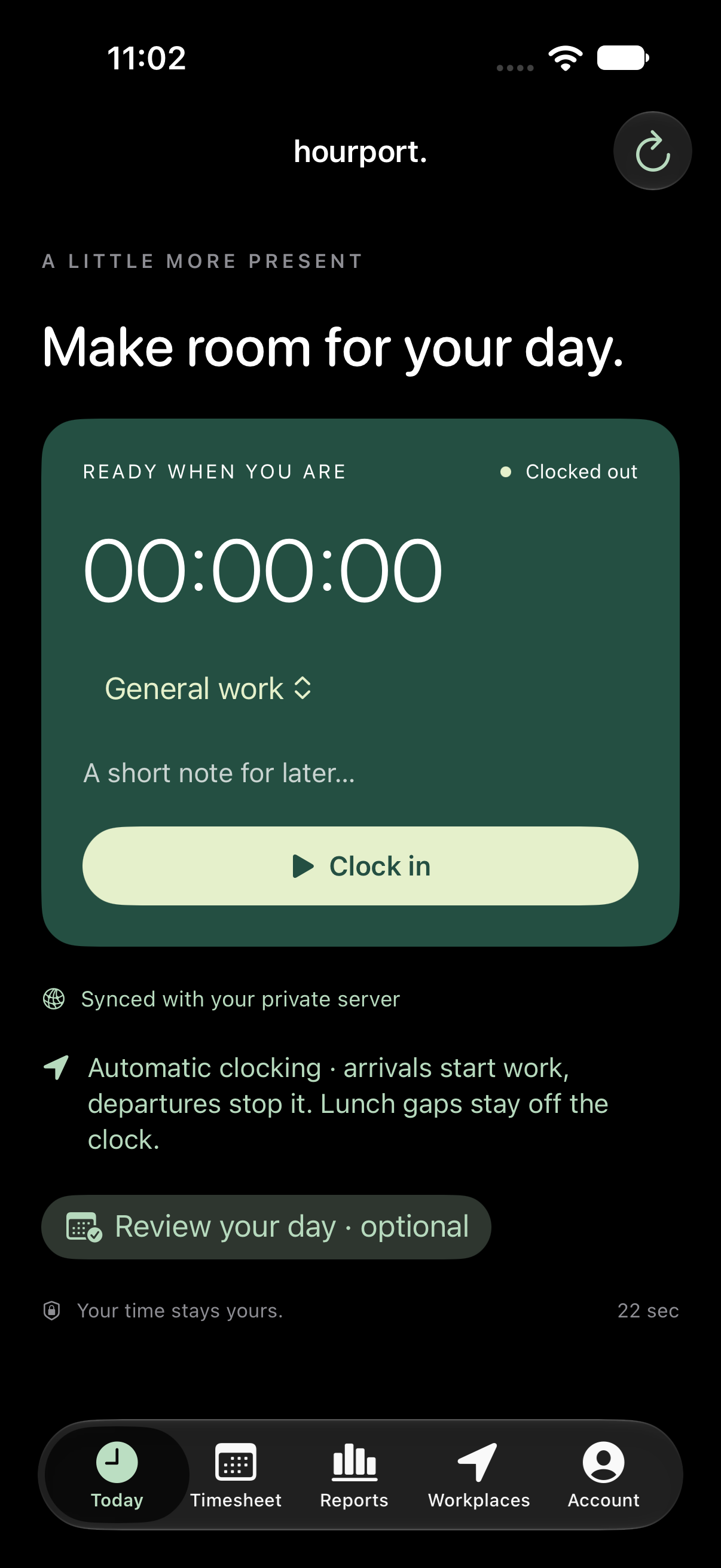
Workplace boundary events can start and stop the matching timer in automatic mode. Manual clocking remains available, and timing that needs attention stays reviewable.
See iphone · today - 02
Make the record yours.
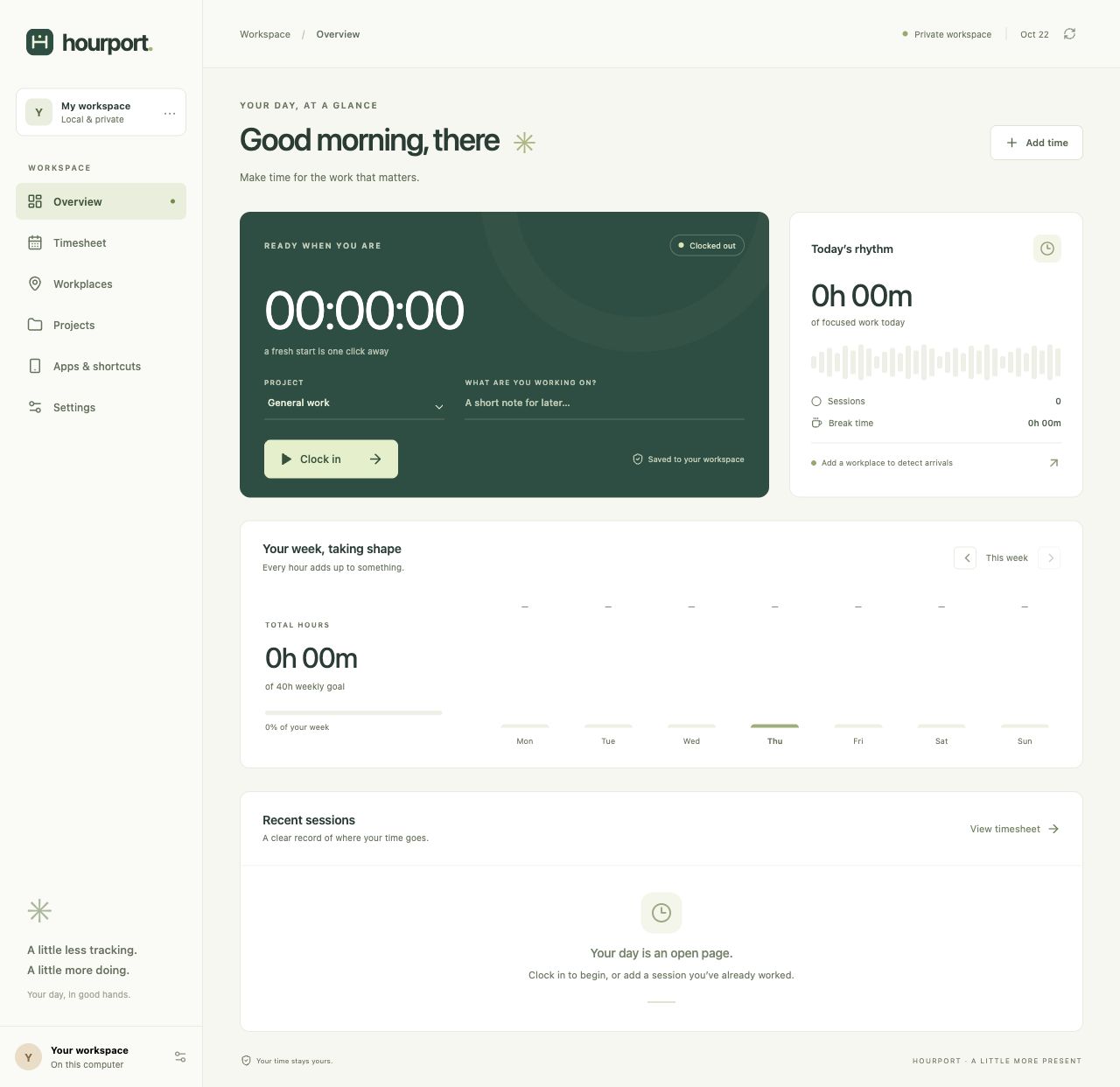
Review sessions, correct completed entries, and keep work attached to projects. Location events are estimates; they are not treated as proof of work.
See web workspace - 03
See the shape of the time.
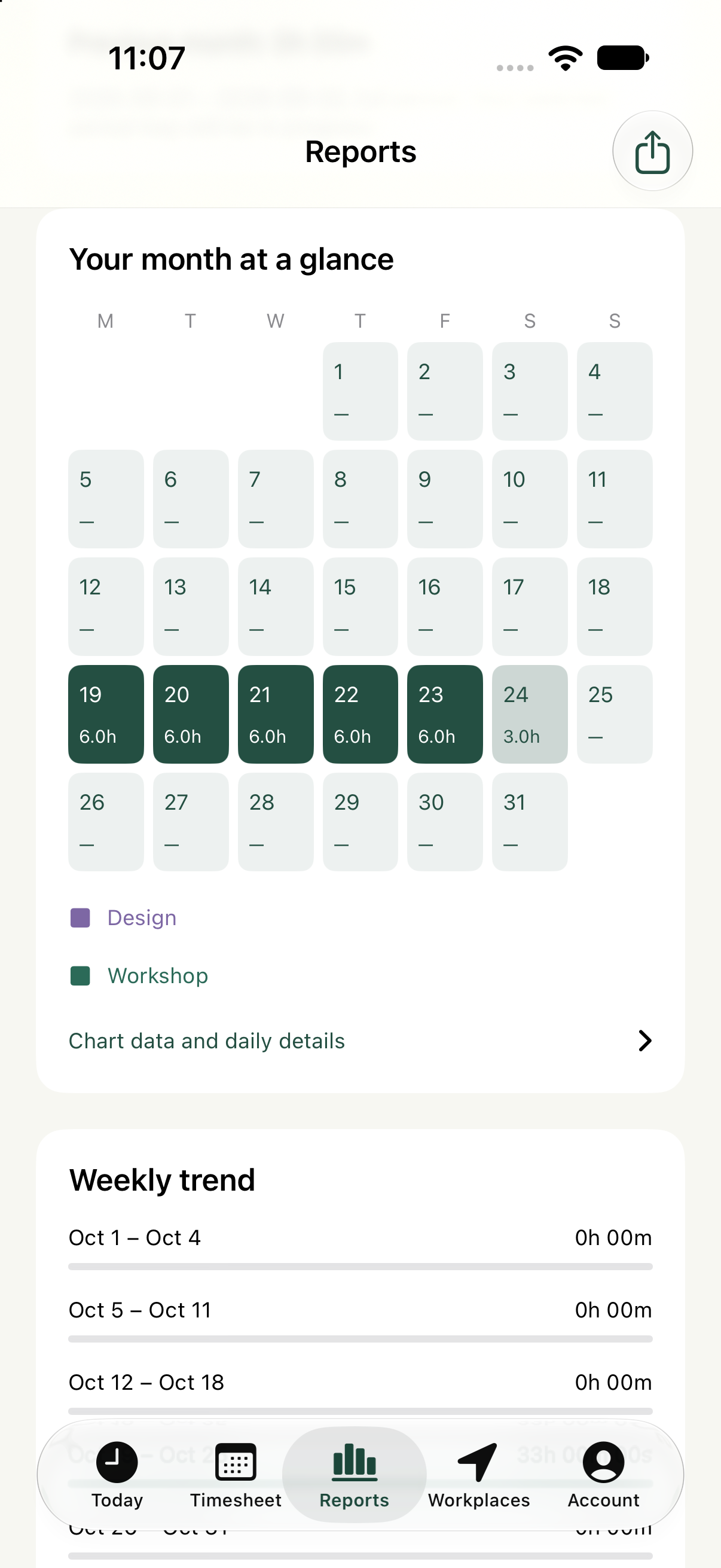
Day, week, month, and custom reports turn the entries into a timesheet. Harvest comparison is a separate review step before a transfer.
See iphone · reports
Who it’s for
A private tool built around my own workday, with phone capture and a larger workspace for review. Public registration is not available.
The next question
The continuing focus is trust: visible pending actions, understandable corrections, and reports that keep their meaning across devices. Physical location behavior still needs real-world observation alongside software tests.
Private app
Hourport is a private tool for my own workday. Public registration is not available.